Claims
Buy a plot and you decide who may build, break and open chests on it.
Finding land
The server sells land in two ways:
- Plots for sale: ready-made plots at a set price.
- Open areas: you outline your own plot and pay per block of ground. Plots can be from 5 x 5 up to 64 x 64 blocks (by default), always full height, and may touch but never overlap.
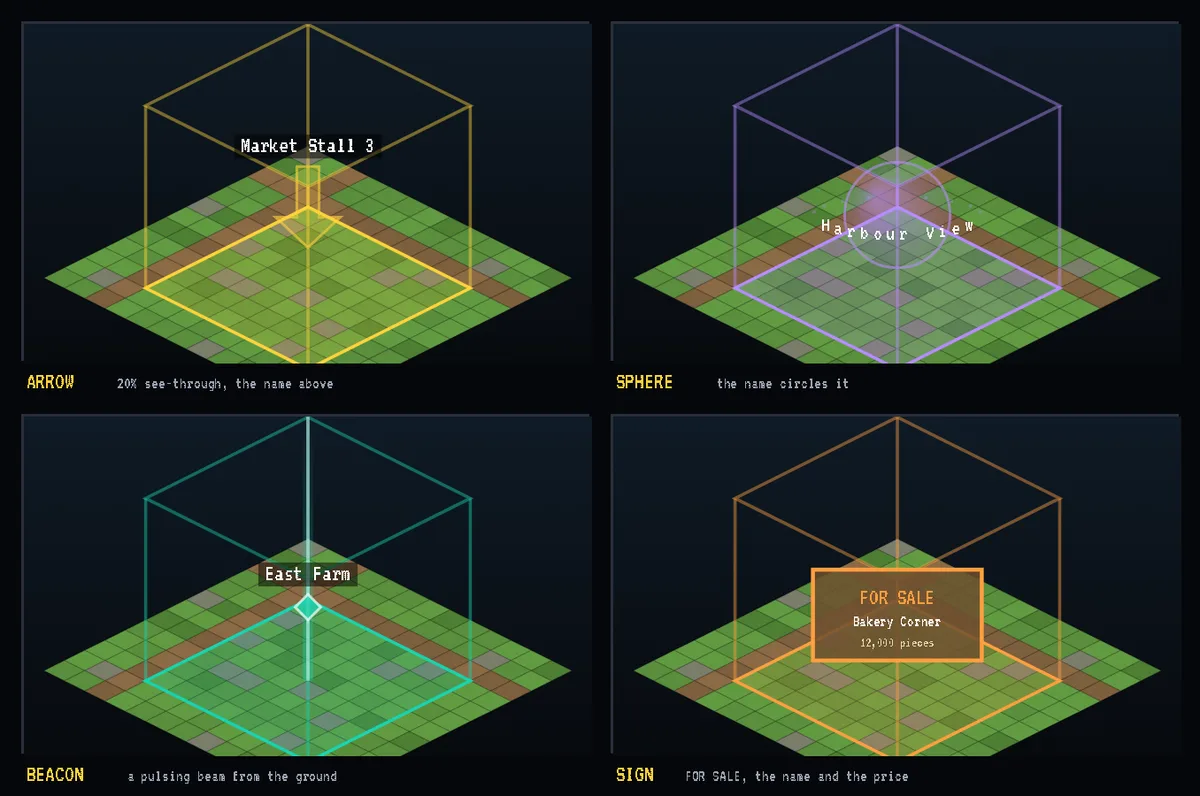
Every plot for sale and every open area shows in the world in its own colour, with a marker over its middle carrying its name: a bobbing gold arrow by default, or a sphere, a beacon beam, or a FOR SALE sign showing the price. Markers show within 96 blocks, and disappear for everyone once the plot is bought.
Buying a plot
- Take the plot tool with
/claim tooland click two opposite corners of open ground, or walk up to a plot for sale. - BSP-Core's Land Office opens with the ground drawn on a map, priced, with nearby claims shown. Buy it there. Plots for sale are bought at the Land Office too.
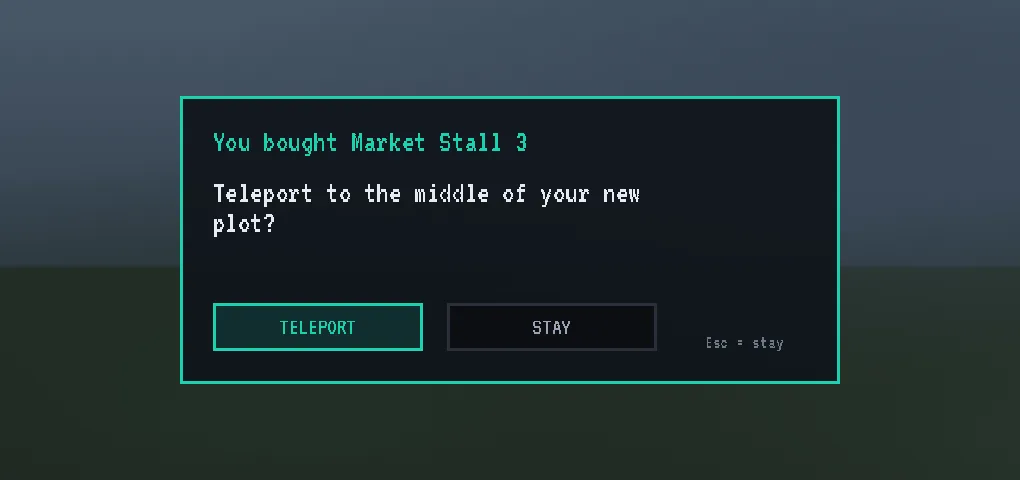
- A window asks "Teleport to the middle of your new plot?" Press TELEPORT, or STAY (Esc stays).
Paying. Land is priced in Shatter Pieces from your bank, by default. The server can price it in Shatter Coins instead: then the price is a number of coins of one tier, taken from the coins in your inventory (not the bank). Any tiers adding up to the value will do, and change is given back.
How many you may own
You may own 3 claims by default, and higher ranks can own more. A world can set its own limit, and an area can cap how many plots one player owns inside it. If you are at a limit, the Land Office says which one.
Your claim card
Open it with /claim gui, or sneak and right-click with the plot tool.
- Members: the players who may build in your claim.
- Rules: plain sentences, each a switch that is on, off, or grey (follow the area's own rule).
- Messages: a greeting and a farewell for visitors.
- TELEPORT to the claim, ENLARGE it (outline a bigger plot around it with the tool first, and pay for the new ground), or GIVE UP for half the price back, in whatever you paid with. Coins come back into your inventory, or at your next login if you are offline.
Seeing claims. Holding the plot tool shows your own claims. Press B to show or hide region outlines; it starts off each time you connect. Plots for sale always show.
The rules you can set
| Rule | |
|---|---|
| strangers may enter | strangers may leave |
| strangers may build | strangers may break blocks |
| strangers may place blocks | strangers may open chests |
| strangers may use doors and switches | strangers may use machines and animals |
| strangers may ride | strangers may sleep here |
Which rules you may change depends on the area the server opened for sale.
Claims and raids
A claim protects your builds, not your Shatter Totem:
- Near another player's placed totem, a claim never stops a raider. Entry, building, breaking, chests and PvP all pass for them there.
- A claim cannot hold a totem while any of its rules would stop a steal.
- In a world where totems can be placed, plots are refused unless that world turns PvP off or the server allows plots there.
A new season
The server may wipe one world's claims at the start of a season. A backup is kept, and other worlds are never touched. When an admin renames a plot, its id can change too.
Commands
| Command | What it does |
|---|---|
/claim tool |
The plot tool |
/claim gui |
Your claim card |
/claim list |
Your claims |
/claim quote |
The price of what you have marked |
/claim add, /claim remove |
Members |
/claim flag |
Change a rule |
/claim abandon |
Give up a claim |
Describes Region Guard 0.6.0. Numbers are the defaults; the server's settings may differ.