Teams
Friends who build together can form a team. Every member gets full access to every teammate's totem.
What members share
Every member counts as a friend with all four switches on every teammate's totem: they open its panel, buy its upgrades, pass its Ward and Alarm, use its machines and see through its Cloaking.
- No stealing inside a team, and the Totem Compass leaves teammates' totems alone.
- Upgrading together: any member may buy upgrades on a teammate's placed totem and raise its tier. The one buying pays, with coins and XP as for their own. The upgrade belongs to the totem and stays with it whoever leaves.
Making one
Open the Team screen from the TEAM button in the top-left corner of your inventory, the TEAM tab on your placed totem or your carried totem's screen, or a key you set in Controls. Name the team, pick its colour and press CREATE.
Invite online players from the INVITE view; a seat is held for a minute while they decide.
Invites
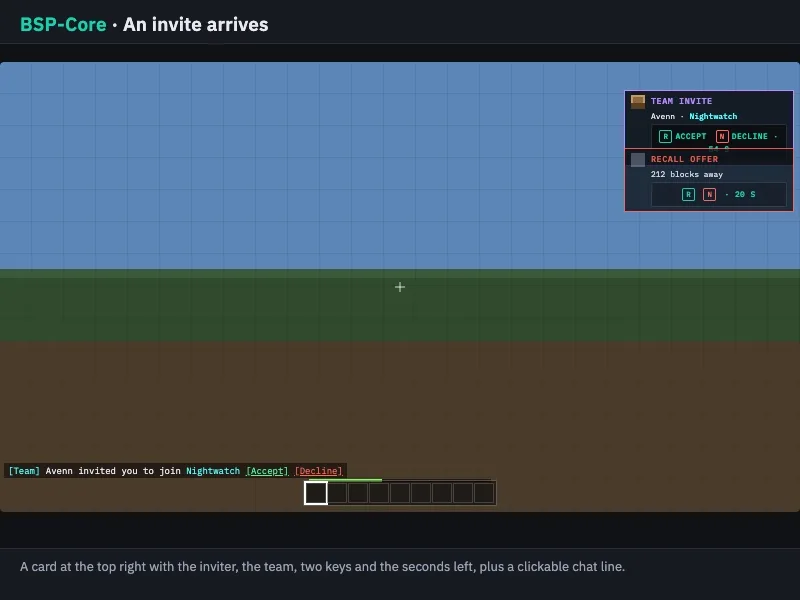
An invited player sees a card at the top right with your face and the team's name, hears a chime, and finds the same offer in chat with Accept and Decline. Two keys answer the card (Y and H unless rebound); the chat buttons work from inside any screen.
The leader
A team holds up to five. The leader renames, recolours, removes members, hands the lead over and disbands; everyone may invite. Leaving, being removed or a disband takes the shared access away at once, and a totem stolen by an outsider is out of the team's reach by itself. The leader hands the lead over before leaving.
Talking
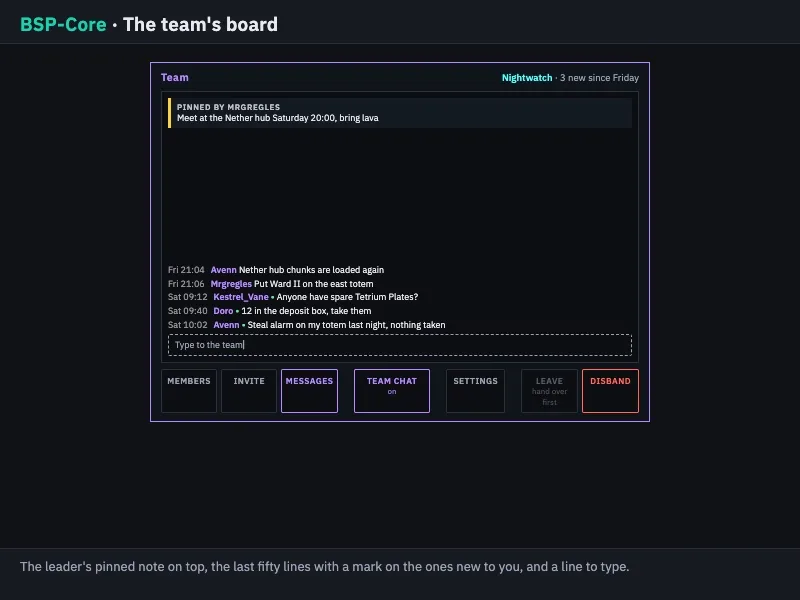
- Press TEAM CHAT on the Team screen and what you type goes to the team until you press it again; a pill above the chat shows while it is on.
/t <message>sends one line without switching.- The team board keeps the last fifty lines for members who were away, counts the unread ones at login, and the leader can pin one note above it.
Across the network
A team is one team on every server, and the member list says which server each teammate is on. Every online teammate has a TELEPORT key on the Team screen (and GO on the Teleport Band's Team tab) that takes you straight to them, with no request and no cost. A team teleport never lands within 150 blocks (by default) of any steal in progress.
Describes BSP-Core 1.6.2. Numbers are the defaults; the server's settings may differ.